Quick answer: Yes, Apple Pay is accepted at many Wendy’s locations where a compatible contactless payment terminal is available. You can pay at the restaurant by holding an iPhone or Apple Watch near the terminal and authenticating the transaction. Payment capabilities can vary by location, though, so Apple Pay isn’t guaranteed at every single Wendy’s. For a mobile order, check the payment options shown in the Wendy’s app at checkout that’s the most reliable way to confirm it’s available for your specific order.
Does Wendy’s Accept Apple Pay?
At a basic level, Apple Pay isn’t a Wendy’s specific system it works anywhere a restaurant has a standard contactless (NFC) payment terminal, regardless of the chain. Many individual Wendy’s restaurants across different states show up as accepting contactless payments, which is consistent with Apple Pay being broadly usable across the chain. That said, we don’t have a reliable nationwide figure for what share of locations currently have compatible terminals, so we’re not going to present a specific percentage or claim it’s “most” locations without evidence for that.
How to Use Apple Pay at Wendy’s
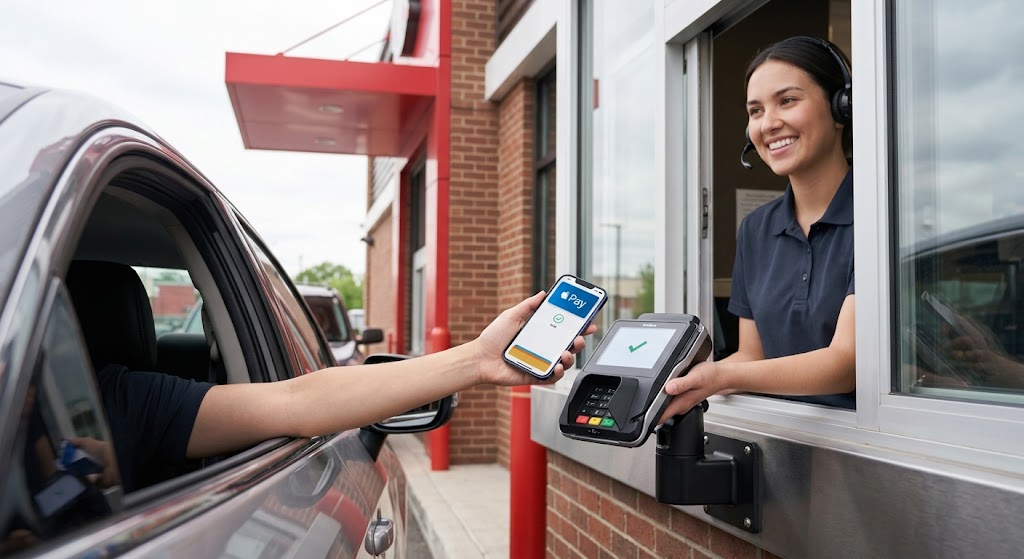
At the drive thru specifically, ask whether contactless payment is available at the window before you get to the front of the line the process itself is identical once you find a compatible reader.
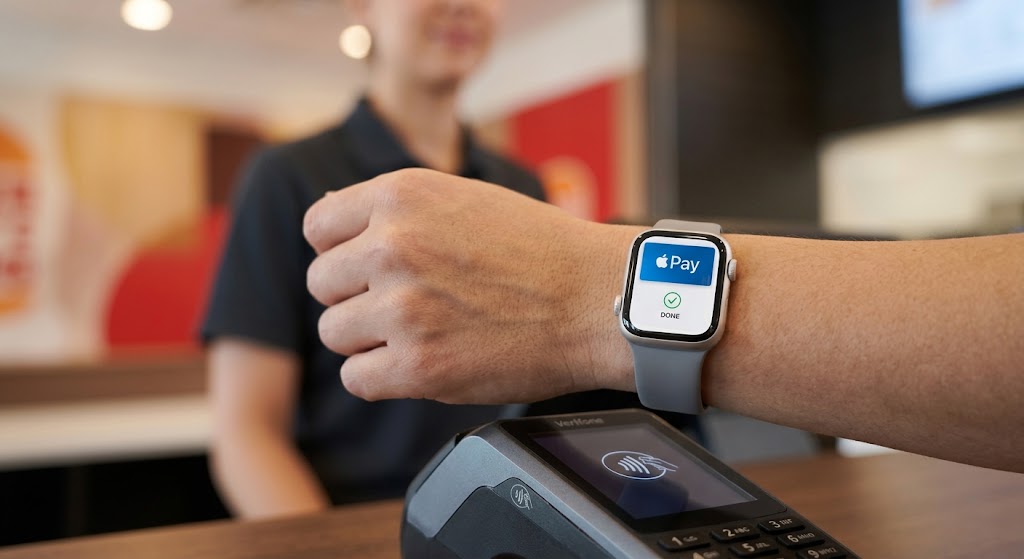
Can You Use Apple Pay With an Apple Watch?
Yes if the terminal at a given Wendy’s supports contactless payments, an Apple Watch works the same way an iPhone does. Hold the watch near the reader and confirm the payment using the side button, the same as you would at any other contactless enabled merchant.
Can You Use Apple Pay in the Wendy’s App?
Wendy’s app supports mobile ordering and inapp payment, but we don’t have strong enough current evidence to say Apple Pay is guaranteed as a checkout option for every order type or every user. The most reliable way to check is simple: if Apple Pay is available for your order, it will appear as a selectable payment method at checkout in the app. If you don’t see it, another payment method will be needed for that order.
Does Wendy’s Website Accept Apple Pay?
We don’t have current, verified evidence either way for the website’s checkout flow specifically, separate from the app. Rather than guess, the safest approach is to check the payment options shown during checkout on wendys.com directly if Apple Pay isn’t listed there, use the app or another payment method instead.
Where Can You Use Apple Pay at Wendy’s?
| Location/Channel | Apple Pay |
|---|---|
| Front counter | Available where the terminal supports contactless payment |
| Self service kiosk | Depends on the specific kiosk/terminal |
| Drivethru | Available where the terminal supports contactless payment |
| Wendy’s app | Check the payment options shown at your checkout |
| Wendy’s website | Check the payment options shown at your checkout |
Which Devices Support Apple Pay?
This is a general Apple Pay compatibility fact, not specific to Wendy’s, but worth knowing if you’re not sure your device qualifies:
| Device | InStore Contactless Payment |
|---|---|
| iPhone 6 and later | Supported |
| Apple Watch Series 1 and later | Supported |
| iPad (with Touch ID or Face ID) | Online/inapp only, not for tapping a terminal |
| Mac (recent models) | Online/inapp only, not for tapping a terminal |
What Other Payment Methods Does Wendy’s Accept?
Wendy’s restaurants generally accept standard credit and debit cards, along with cash. Some locations also support other contactless mobile wallet payments, such as Google Pay. Here’s a quick comparison of how these typically work at a fastfood counter:
| Method | Contactless | Needs Physical Card | Works in App |
|---|---|---|---|
| Apple Pay | Yes | No | Check at checkout |
| Google Pay | Yes | No | Check at checkout |
| Credit/Debit Card (tap) | Yes | Yes | Yes |
| Credit/Debit Card (chip/swipe) | No | Yes | Yes |
| Cash | No | No | No |
If you’re planning to pay with a phone or smartwatch, look for the contactless symbol at the terminal or ask the restaurant before ordering, since exact support varies by location and terminal.
Can I Use an Apple Card at Wendy’s?
Yes, generally. If your Apple Card is added to Apple Wallet, you can use it through Apple Pay anywhere contactless payment is supported the same way as any other card in your Wallet. Whether a physical card is accepted is a separate question from Apple Pay acceptance, but Wendy’s does accept standard card payments broadly.
Why Isn’t Apple Pay Working at Wendy’s?
If a payment doesn’t go through, the restaurant’s terminal may not support contactless payment, or it may not be accepting mobile wallet payments at that particular time we’re not going to guess at a specific technical cause without knowing what happened at that location. A few things worth checking:
| What You’re Seeing | What to Try |
|---|---|
| Terminal doesn’t respond at all | Confirm it actually shows a contactless symbol before tapping some older terminals are card only |
| Phone screen touches the reader but nothing happens | Hold the top edge of the iPhone near the reader instead the NFC chip isn’t behind the screen’s center |
| Tapped too early | Wait for the terminal to actively prompt for payment before holding your device near it |
| Using Apple Watch and it’s not registering | Hold the watch face (not the band) near the reader and confirm with the side button |
| Still not working after trying the above | Ask the restaurant whether another payment method is available for this order |
| Issue seems to be your device/Wallet, not the terminal | Check your card and Wallet settings, or use Apple’s official support resources |
A Note on “Apple Pay Support” Phone Numbers
Be cautious of websites or ads listing unfamiliar phone numbers claiming to offer “Apple Pay support” for a specific restaurant chain. Don’t call a number found in an unrelated blog post or ad. For a restaurant payment issue, ask the Wendy’s location directly. For an Apple Pay or Wallet issue, use Apple’s own official support channels.
Frequently Asked Questions
Does Wendy’s accept Apple Pay at the drive thru?
At locations with a compatible contactless terminal, yes. It isn’t guaranteed at every drive thru, since terminal capability varies by restaurant.
Can I use Apple Pay when ordering through the Wendy’s app?
Check the payment options shown at checkout in your specific order if Apple Pay is available, it will appear as a selectable method there.
Can I use Apple Pay on the Wendy’s website?
Check the payment options shown during checkout on wendys.com directly, since we don’t have verified current information either confirming or ruling this out.
Can I use Apple Pay with an Apple Watch at Wendy’s?
Yes, wherever the terminal supports contactless payment, an Apple Watch works the same way an iPhone does.
Can I use my Apple Card at Wendy’s?
Yes, an Apple Card added to Apple Wallet can be used through Apple Pay anywhere contactless payment is accepted.
Why isn’t Apple Pay working at my local Wendy’s?
The restaurant’s terminal may not support contactless payment, or it may not be accepting mobile wallet payments at that time. Ask the restaurant directly whether another payment method is available.
Editorial Note
Payment options can vary between individual Wendy’s restaurants and ordering channels, and terminals are updated independently rather than all at once across the chain. This guide focuses on US Wendy’s locations and reports what’s generally known about contactless payment support without claiming a specific nationwide coverage figure we don’t have reliable evidence for one. If Apple Pay availability matters for your visit or order, checking the payment options shown at your specific restaurant or checkout screen is more reliable than any general statement, including this one.
Information reviewed: September 2026 | Scope: US Wendy’s payment and mobile order information
Related Wendy’s Pages
| Wendy’s Delivery: Cost & How It Works |
| Wendy’s Rewards |
| Wendy’s Gift Cards |
| Complete Wendy’s Menu & Prices |
Disclaimer: WendysMenu-Prices.online is an independent informational website and is not affiliated with, sponsored by, or officially connected with The Wendy’s Company or Wendy’s International LLC. Payment methods and terminal capabilities may vary by location and can change at any time. For official information, please check with your local Wendy’s restaurant directly.